You might think your car has a tiny brain, and you’re actually right. This little computer runs everything from your fuel to your spark plugs. Most people panic when it acts up, but learning how to test an engine control module is easier than most folks think.
You should start by checking for any loose or rusty battery cables. Next, look at the fuses to see if any are blown or burnt out. You must use an OBD2 scanner to read any hidden trouble codes from the computer. After that, look for smells like burnt plastic or any visible damage on the wires. You should also check the ground connections for any dirt or rust. Finally, test the power going into the module with a basic multimeter tool.
What Are the Most Common Signs of a Bad Unit?
Your car will often act very strange when the computer starts to fail. You might see a check engine light that stays on no matter what you fix. Sometimes the car just won’t start at all even though the battery is full. It feels like the car is confused because it can’t tell the engine what to do.
Another big sign is when your car suddenly stalls while you’re driving. You might also notice that your gas mileage gets much worse overnight. The transmission might shift hard or get stuck in one gear for no reason. These things happen because the brain of the car is sending the wrong signals to the parts.
You should also look for a strong smell of fuel or black smoke from the tailpipe. This happens when the module stays open and dumps too much gas. If you notice these things, don’t wait to check it out. A bad computer can eventually ruin your entire engine if you keep driving it every day.
- The engine light stays on forever.
- Your car stalls at stop lights.
- The engine cranks but won’t start.
- You notice a big drop in MPG.
- The car jerks while you shift.
- You smell burning wires or plastic.
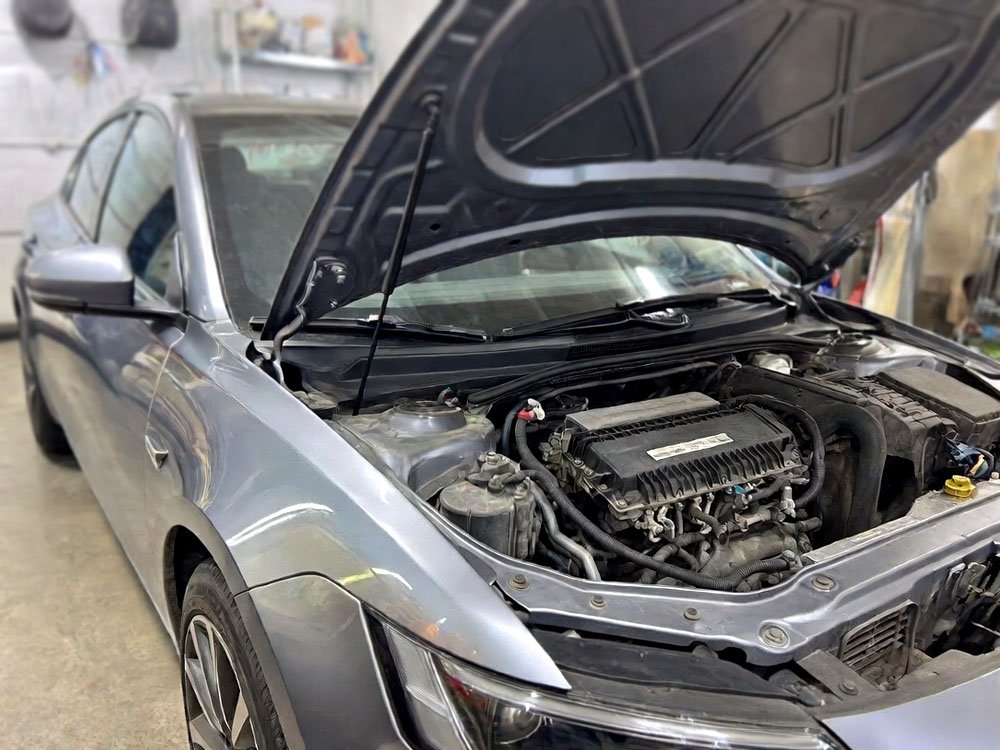
Simple Steps to Check Your Car Computer
Check the Battery and Main Fuses
You should always start with the power source before you blame the computer. A weak battery can make a perfectly good module act like it’s broken. Clean the metal terminals with a wire brush to make sure they’re shiny and tight. If the voltage is too low, the computer won’t have enough juice to wake up and work.
Check the fuse box under the hood and inside the cabin for any breaks. Look for the fuse labeled ECU or PCM and pull it out to see the metal strip. If that tiny wire is broken, your computer won’t get any power at all. It’s a cheap fix that saves you from buying a new brain for the car.
I once saw a guy spend a thousand dollars on a new module when it was just a five-dollar fuse. Always wiggle the wires while the car is running to see if it stumbles. This helps you find loose connections that only act up when you hit a bump. It’s a classic pro trick that keeps you from overspending on parts.
- Scrub the battery terminals until shiny.
- Test the battery with a multimeter.
- Pull and check all engine fuses.
- Wiggle the wiring harness for gaps.
Use a High Quality Scan Tool
You need to plug a scan tool into the port under your dash. This tool talks to the car and asks it what’s hurting. If the scanner can’t connect to the car at all, that’s a huge clue. It often means the module is dead or not getting any power to talk back.
Look for codes that mention “Communication Error” or “U” codes. These codes show that the different parts of the car aren’t speaking to each other. If you see a long list of random codes, the computer might be failing. A healthy computer usually only gives you one or two specific codes to follow.
Don’t just delete the codes and hope they stay away for good. Write them down on a piece of paper so you can look them up later. Sometimes a code for a sensor is actually the computer failing to read that sensor. Take your time and read every line the scanner shows you on the screen.
- Plug the scanner into the OBD2 port.
- Check if the tool can communicate.
- Read all stored and pending codes.
- Watch the live data for weird jumps.
Inspect the Wiring and Connectors
You should unplug the large wires going into the computer box. Look inside the plastic plugs for any green or white crusty stuff. This is corrosion and it blocks the electricity from moving through the pins. You can use a can of electronic cleaner to spray it out and make it fresh.
Look for any wires that are frayed or melted against the hot engine. Sometimes mice like to climb into cars and chew on the colorful wires for a snack. A chewed wire will short out the system and make the computer go crazy. Follow the big wire bundles all the way back to the firewall.
I always tell people to look for “pin tension” when they check the plugs. This means making sure the tiny metal holes aren’t stretched out too wide. If the hole is too big, the pin won’t touch it and the signal will drop. You can use a tiny needle to gently bent them back into place if needed.
- Spray the plugs with contact cleaner.
- Look for green rust on pins.
- Search for chewed or melted wires.
- Ensure the plugs click into place.
Perform a Visual Board Inspection
You might need to take the module out of the car and open the case. Look at the green circuit board for any dark or black spots. These spots are usually burns from a short circuit or a power surge. You can often smell a “fried” scent if the board has been cooked by high heat.
Check the little round parts called capacitors to see if they’re leaking. They should be flat on top and not bulging out like a soda can. If they look swollen or have brown goo around them, the computer is definitely toast. These parts are supposed to hold a steady charge for the delicate chips.
You should also look for any water spots or dried white lines on the board. Water gets inside these boxes more often than you would think. Even a tiny drop of rain can bridge two paths and cause a massive headache. If you see water damage, you usually have to replace the entire unit.
- Open the metal or plastic case.
- Smell for any burnt electronic odors.
- Check for bulging or leaking parts.
- Look for white crusty water trails.
Check the Ground Connections
Grounds are the path that electricity takes to get back to the battery. If the ground wire is loose, the computer will restart itself while you’re driving. Find where the thick black wires bolt to the metal frame of your car. If there’s paint or rust under the bolt, the connection is going to be weak.
You can use a jumper wire to create a temporary ground for testing. Connect one end to the computer case and the other to the negative battery post. If the car suddenly runs better, you know your main ground wire is the problem. It’s a very fast way to rule out the module itself as the culprit.
Many people forget that the engine itself needs a good ground to the body. If the engine ground is bad, the sensors will send messy signals to the computer. This makes the computer look bad when it’s actually just getting bad data. Clean every ground bolt you can find to be absolutely sure.
- Find all ground bolts on the frame.
- Sand the metal until it’s bright.
- Tighten the bolts with a wrench.
- Test with a temporary bypass wire.
Test the Reference Voltage
The computer sends a steady 5 volts to most of the sensors in your car. You should use your multimeter to check this voltage at a sensor like the TPS. If you see 12 volts or 0 volts, the computer’s internal regulator is broken. This is a very common way that these modules die over time.
Turn the key to the “on” position but don’t start the engine. Put your red probe on the power wire and the black probe on a good ground. A reading of exactly 5.0 volts means the computer’s heart is still beating. If the numbers are jumping around, the module is struggling to stay steady.
One trick I use is to unplug sensors one by one while checking voltage. Sometimes a broken sensor shorts out the whole computer and makes it look dead. If the voltage pops back up after you unplug a sensor, the computer is fine. This saves you from replacing a very expensive part for no reason.
- Set the multimeter to DC volts.
- Check for a steady 5V signal.
- Unplug sensors to find short circuits.
- Test at the MAP or TPS sensor.
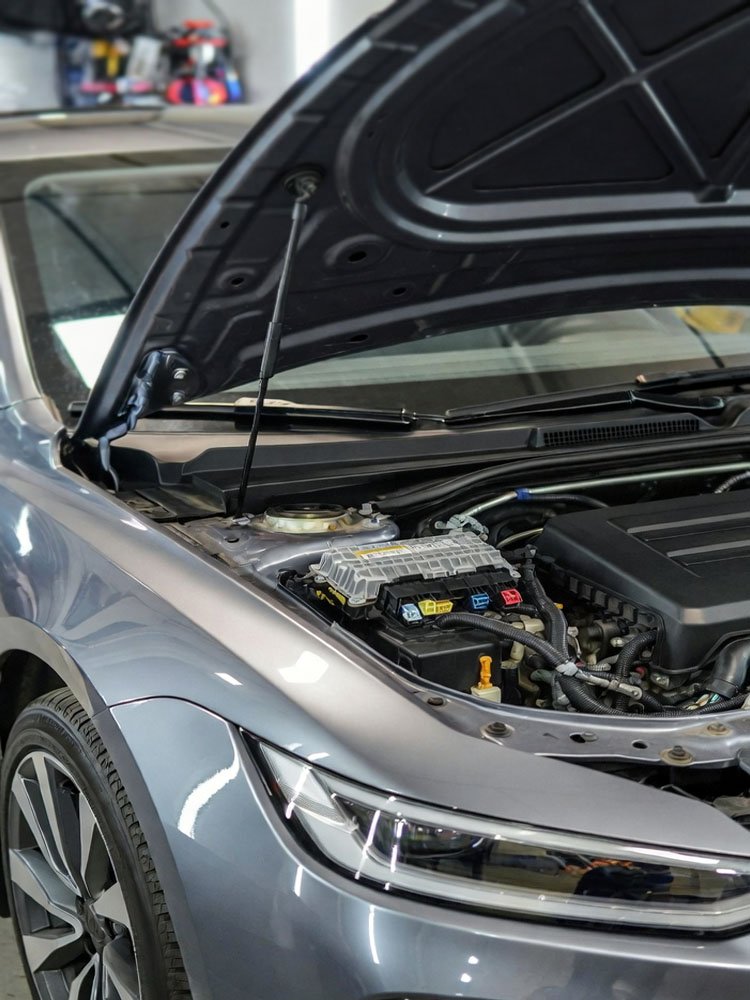
Can a Bad Battery Damage the Computer?
A weak battery is one of the biggest enemies of your car computer. When you try to start a car with a dying battery, the voltage drops very low. This low power can cause the computer to glitch or lose its memory. Sometimes it even causes a power spike when the alternator tries to help out.
Most modern cars need a very steady stream of electricity to stay happy. If your battery has a dead cell, it creates “noise” in the electrical system. This noise confuses the chips inside the module and can eventually burn them out. You should always replace an old battery before it starts causing these weird electronic ghosts.
It’s also risky to jump start a car the wrong way. If you spark the cables or hook them up backward, you can fry the module instantly. Always make sure your connections are solid and the other car is turned off first. Keeping your charging system healthy is the best way to protect your car’s brain.
- Voltage drops can erase computer memory.
- Power spikes can fry delicate chips.
- Old batteries create electrical noise.
- Jump starting incorrectly causes damage.
- Alternators can overcharge the module.
- Bad cells cause the engine to jerk.
Final Thoughts
Testing your car doesn’t have to be a scary job for a pro. If you take your time and follow these steps, you can save a lot of money. Just remember to check the simple things like fuses and wires first. Most of the time, the problem isn’t the brain, but the wires leading to it. You can learn how to test an engine control module and get back on the road today.
| Test Step | Tool Needed | Expected Result |
| Battery Voltage | Multimeter | 12.6 Volts |
| Fuse Check | Visual / Tester | No breaks in wire |
| Scan Tool | OBD2 Scanner | Successful connection |
| Visual Check | Eyes / Flashlight | No burns or rust |
| Ground Test | Jumper Wire | Car runs smoother |
| Ref Voltage | Multimeter | Steady 5.0 Volts |
Frequently Asked Questions
Is it safe to drive with a bad module?
You should not drive your car if you think the computer is failing. The engine might die while you’re in heavy traffic or making a turn. This can be very dangerous for you and other drivers on the road. Also, a bad module can send too much fuel and ruin your expensive catalytic converter. It is much better to fix the problem at home before you get stranded or cause more damage.
Can I reset the module by pulling the battery?
You can often reset the basic settings by leaving the battery unplugged for thirty minutes. This clears the “learned” data like fuel trim and idle speed. However, this won’t fix a physical problem like a burnt circuit board or a broken wire. If the module has a hardware fault, the lights and codes will come back almost immediately. It’s a good first step to see if the error was just a temporary glitch.
Do I need to program a new module?
Yes, most cars made after the year 2000 require the new computer to be programmed. The module needs to know your car’s specific VIN and key information to start the engine. If you just plug in a used one from a junk yard, the anti-theft system will likely lock you out. You might need a mobile mechanic or a dealer to help you sync the new brain to your car.
Can water damage the engine control module?
Water is one of the most common reasons these parts fail. If your car has a sunroof drain that is clogged, water can leak onto the floor where the computer lives. You might see rust or green corrosion on the pins if water got inside. Even high humidity over many years can cause the tiny metal paths to break down. Always check for signs of moisture if your electronics start acting weird after a rainstorm.
Do I need special tools to test it?
You can do most of the testing with a basic OBD2 scanner and a cheap multimeter. These tools are available at any local auto parts store and are easy to use. You don’t need a huge professional shop to find out if your computer is getting power. A flashlight and a basic set of wrenches will help you check the wires and grounds. It’s a small investment that pays for itself the first time you find a loose wire.
Can a bad sensor kill the computer?
A shorted sensor can definitely damage the computer’s internal circuits. If a sensor wire touches the hot exhaust and melts, it can send 12 volts into a 5-volt circuit. This overload can burn out the drivers inside the module that control the engine. This is why you should always check your wiring harness for damage. If you replace the computer without fixing the shorted sensor, the new computer will likely fry too.
Is a used module a good idea?
Buying a used module can save you hundreds of dollars compared to a new one. Just make sure the part numbers match exactly before you buy it. You also need to check if your car allows for used modules to be reprogrammed. Some brands make it very hard to reuse a computer from a different car. Always ask a local shop if they can flash a used unit before you spend your money on it.
Do I have to remove the engine to find it?
The computer is almost never inside the engine itself. It is usually tucked under the dashboard, behind the glove box, or in a plastic box under the hood. You might have to move the battery or a few plastic covers to see it clearly. It’s held in by a few small bolts and some large wiring plugs. You should check a repair manual or a video for your specific car to see exactly where it’s hidden.